Can I transfer a test to someone else?
Published
Yes, you can transfer a whole test panel to another person. If the test you want to transfer is part of a larger panel that someone else will use, you’ll need to place a new order for the person taking that test.
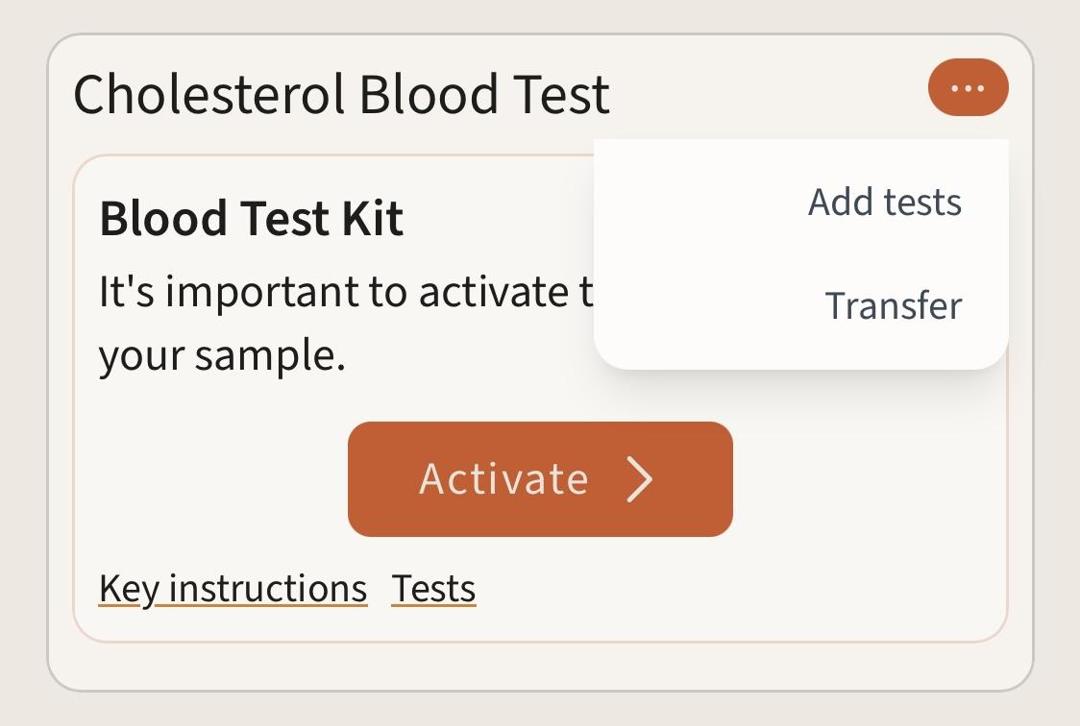
To transfer a test panel, select Transfer on the test panel in your Selph account dashboard. On a smartphone, you’ll find Transfer in the orange three-dot menu.
Next, select Get my transfer link.

This creates a unique link for the person who will take the test. Copy the link and send it to them, or select Share via Email or Share via WhatsApp. Once you’ve shared the link, you can close the page or return to your dashboard.
When the test-taker opens the link, they can log in or create a Selph account. The test panel will then transfer to their account automatically, ready to activate.
The link expires 7 days after you create it. If the test-taker hasn’t used it by then, return to your dashboard to create a new link. The test panel stays in your account until the test-taker claims it.